Zhiming · 42 · Interior designer, BNI chapter member
Zhiming goes to his BNI chapter’s weekly meeting at 6:30 every Thursday morning. Over the past year he has exchanged more than three hundred business cards.
At one meeting someone asks, “Does anyone know a plumber or electrician?” He remembers chatting with a very reliable tradesman at an event last year.
At home he turns every drawer upside down, but the card is nowhere to be found.
“I know the right person, yet I can’t make the introduction.”
Peijun · 35 · Insurance advisor
Peijun has more than two hundred clients, and she sincerely wants to take good care of each of them.
At their last visit, Mrs. Chen mentioned that her daughter would start elementary school next year. This time Peijun had completely forgotten, and Mrs. Chen just smiled and said nothing more.
“It’s not that I don’t care. I truly can’t remember this many people.”
Jianhong · 50 · Business owner, chamber of commerce board member
Jianhong attends forty events a year and meets far more people than he can remember.
At an event this year, a purchasing manager he got along with wonderfully at a dinner last year greets him warmly, and he can’t come up with the name.
“Those relationships didn’t end. I let them go.”
Yating · 29 · Freelance brand designer
Yating spent an hour over coffee with a prospective client, who talked about budget and timeline and mentioned a website redesign planned for the second half of the year.
On the way home she wanted to write it all down, but she was too tired. Her note says only: “Nice person, meet again.”
“An hour of conversation, and all that was left was one short line.”
Zhiming · After using it
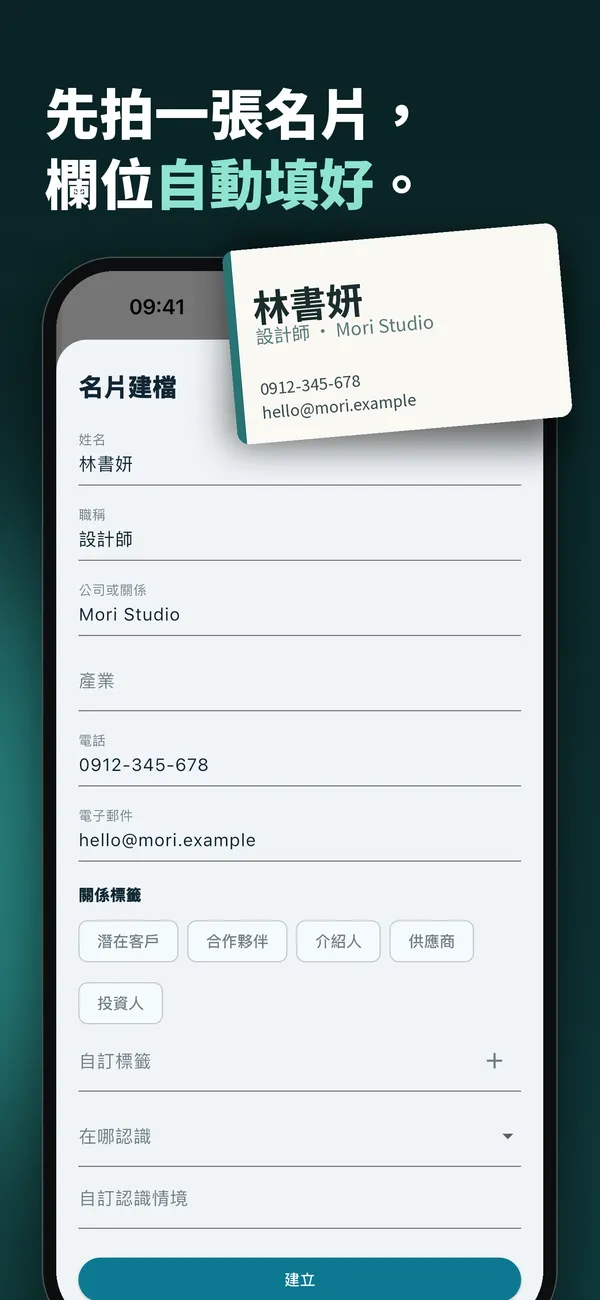
When he gets home from the meeting, he photographs the cards into Relationship Notes one by one, and the name, company and phone number are filled in automatically. In the tradesman’s entry he adds one line: can offer “plumbing and electrical.”
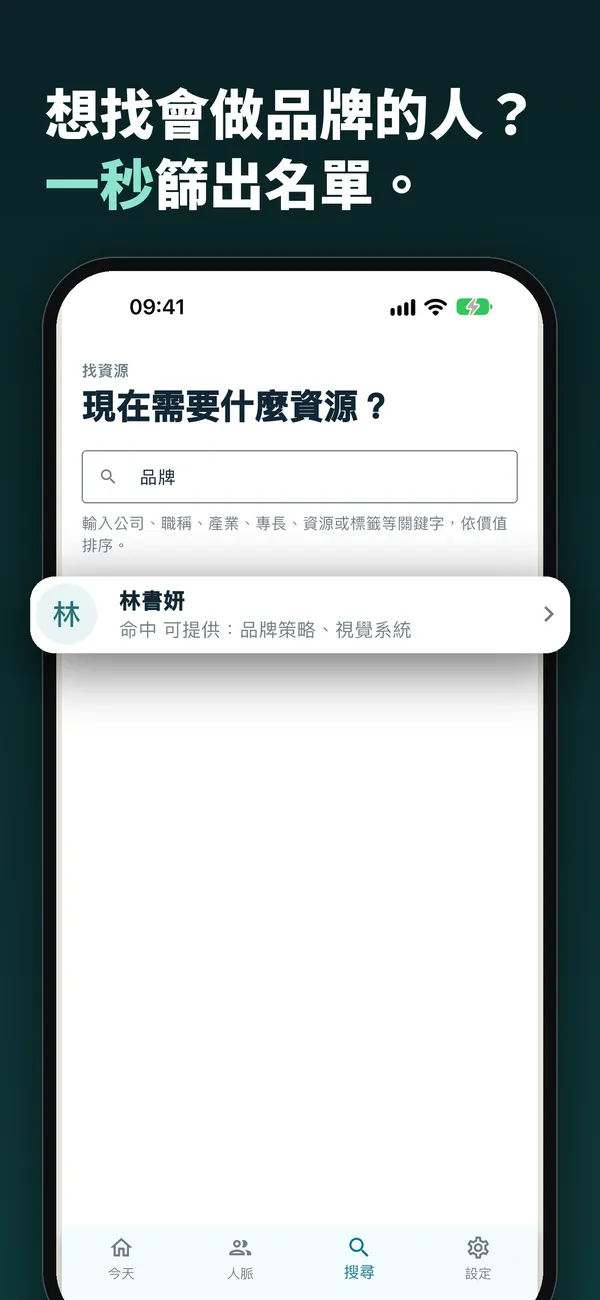
Three weeks later someone asks again. He searches “plumbing” and finds the person in seconds. He taps “Introduce to…” and shares the contact, and the introduction is recorded automatically.
Peijun · After using it
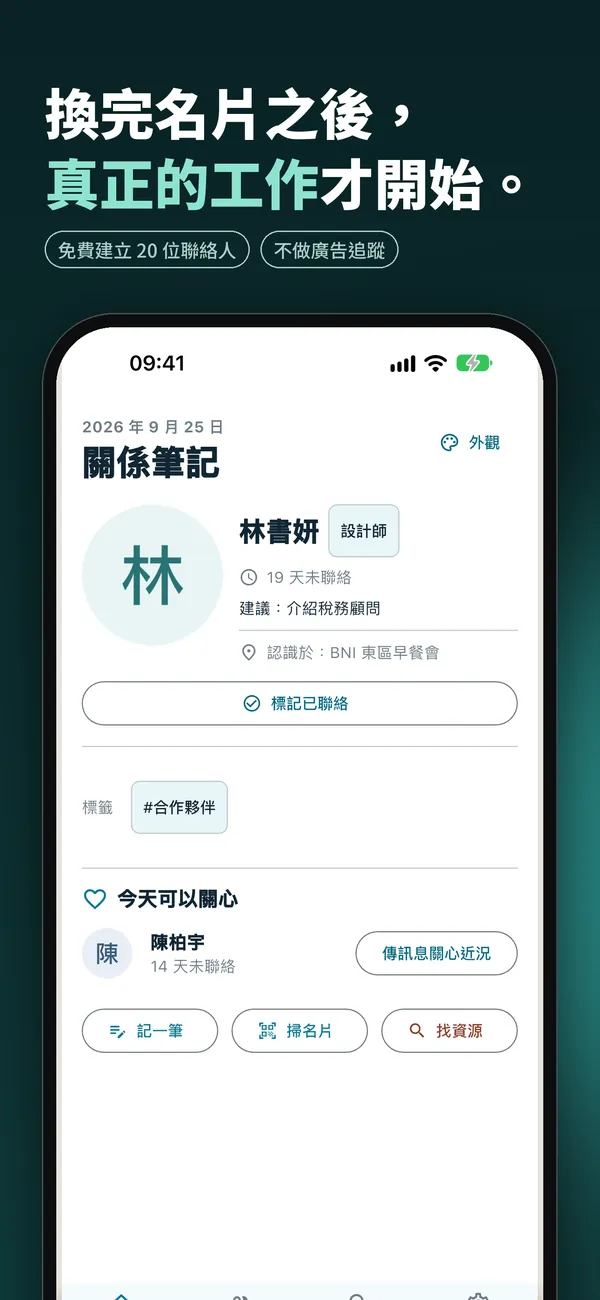
After every client visit she spends half a minute on one note: “Daughter starts elementary school next year.”
Every morning she opens the app, and the “Today” list has already ranked the people to reach out to. When she next sees Mrs. Chen, she asks first: “Have you picked a school for your daughter yet?”
Jianhong · After using it
After every event he photographs the cards and notes where they met and what they talked about.
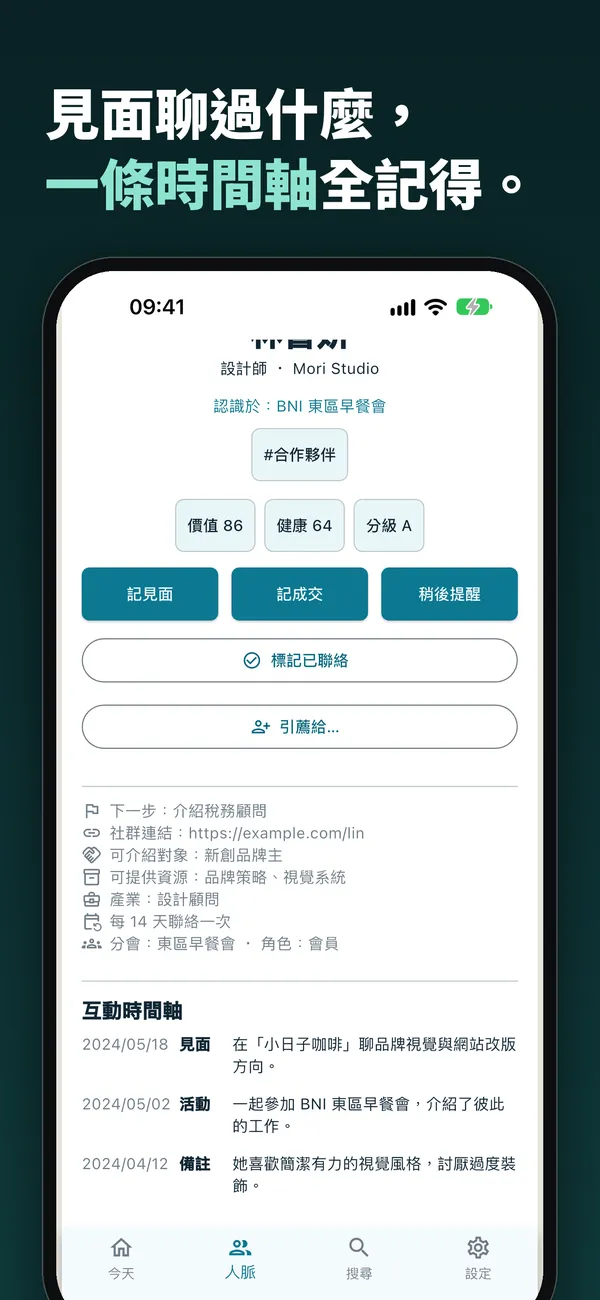
Relationship Notes uses two scores, value and health, to show him which important relationships are fading. When he meets that purchasing manager again, one glance at the timeline is enough to pick up where last year’s conversation left off.
Yating · After using it
Next time she meets a client, she asks first: “Do you mind if I record this so I can take notes?”
When the meeting ends she taps stop. Relationship Notes turns the conversation into a transcript and pulls out the key points, next steps and the resources the other person is looking for. After she confirms, it is saved to that client’s timeline.
Networking isn’t how many people you know.
It’s how many people you keep remembering.
A business card is only the start. Relationships grow from every “I remember what you said last time…”
Relationship Notes remembers those details for you, so you have room for what really matters: caring about the other person.
Only you can see your contacts, and the app does no ad tracking.
Frequently asked questions
What is Relationship Notes?
Relationship Notes is a personal contact-management app that keeps who you met, where you met them, what you talked about and when to follow up in one place. You can scan business cards to create contacts, record meetings and have them organized into key points, and use two scores, value and health, to rank the people most worth reaching out to today.
Who is Relationship Notes for?
It suits people who attend BNI, chambers of commerce, Rotary, Lions and all kinds of networking events and want to track referrals and closed deals; sales, insurance, real estate and consulting professionals who need client follow-up and visit records; and anyone who wants to keep friendships and partnerships healthy.
How is it different from my phone’s contacts app?
A phone’s contacts app only stores a phone number. Relationship Notes remembers where you met, what you talked about, what resources the person can offer and what they are looking for. Every meeting, event, deal and note goes onto one interaction timeline, and the app reminds you when to get in touch next.
Can I create a contact from a business card?
Yes. Take a photo of a card or pick one from your gallery, and the name, title, company, phone number and email are filled in automatically. Confirm, and the contact is created.
Can I skip typing notes after a meeting?
Yes. With the other person’s consent, start a meeting recording. When it ends, it is turned into a transcript with key points, next steps and the resources the person is looking for, and after you confirm it is saved to that contact’s timeline. The free plan includes 60 minutes per month and Pro includes 600 minutes per month.
How can BNI members use Relationship Notes for referrals?
For each contact you can record the resources they can offer and the people they can introduce. When you need “someone who does branding,” type a keyword to filter the list. On a contact’s page, tap “Introduce to…”, choose who to introduce, and share it; the app records the introduction automatically and reflects it in both people’s scores.
Is Relationship Notes free?
It is free to download. The free plan lets you create 20 contacts and includes 60 minutes of meeting recording per month. Subscribing to Pro in the app removes the contact limit, gives you 600 minutes of meeting recording per month and unlocks all appearance themes.
Is my contact data safe?
Only you can see your contacts, and the app does no ad tracking. Deleting your account under Settings → Delete account removes your data in the app. Purchase records are kept as transaction records (see the privacy policy).
Which phones does it support?
iPhone users can download it from the App Store and Android users from Google Play. The app is available in English, Traditional Chinese, Japanese, Korean and Vietnamese and follows your device language.